ReSound Smart 3D
- 4.5
- Rating
- 1.00M
- Installs
- Free
- Price

 Analysis by App-foxy
When a hearing aid is working well, I should be able to forget about the technology and concentrate on the conversation, the street, or the television in front of me. ReSound Smart 3D is designed to make that adjustment process easier from a phone. I tested it as a companion app rather than as a general hearing or sound utility, and that distinction matters: its usefulness depends on having compatible ReSound hearing aids, while the app itself is free and aimed at helping me manage those devices in everyday situations.
Developed by GN Resound, this medical app has been available since April 27, 2017. It is suitable for Everyone, runs on Android 8.0 or later, and its current version is 1.43.1. The app has built a sizeable audience, with more than a million installs, an average rating of 4.4, about 45 thousand ratings, and roughly 3.1 thousand written reviews. Those figures suggest that many users find the basic idea practical, although a good store score should not replace checking whether a particular hearing-aid model is supported.
How the app feels to read and navigate
I find that reading and navigating a hearing-control app is easiest when I know what I want to change before opening it. In this section, I’ll focus on how a clear, task-led approach can make adjustments less stressful, especially when attention is already divided. That also sets up a closer look at how different abilities and surroundings can shape the experience.
You May Also Like

 Blood Strike: 2.5 Anniversary
Blood Strike’s Loadouts Turn Every Drop Into a Tactical Gamble
A close look at Blood Strike’s custom loadouts: how fast access to signature weapons reshapes its battle royale rhythm, rewards preparation, and narrows the gap between fights.

 Pandora - Music & Podcasts
Pandora’s Music Is Easy to Start, but Harder to Recover
Pandora’s strength is its low-effort path from a seed to a station. Its weak spot is how much confidence it asks you to place in connection, setup, and quiet recovery.

 8 Ball Pool
 Is Built on Rivalries, Rematches, and Routine
A close look at the rivalries, rematches, shared routines, and unanswered safety questions that turn a quick pool match into a persistent mobile community.

 Samsung Music
’s Quiet Strength Is Playing What You Already Own
Its reach comes less from spectacle than from dependable access to a personal library. That simplicity is both the app’s strongest retention engine and its ceiling.

 AccuWeather: Weather Radar
AccuWeather Review: A Quick, Clear Forecast for Everyday Decisions
For everyday plans, the best forecast is the one you can understand quickly. AccuWeather makes rain timing, radar, and local conditions easy to act on, with a few trade-offs.

 Hill Climb Racing
Why Hill Climb Racing Still Turns Crashes Into One More Run
A tiny car, a bumpy hill and one more upgrade: Hill Climb Racing keeps resurfacing because its simple chaos makes every near-miss feel personal.
More From Our News Desk
View All News


A phone-based control panel rather than a medical lesson
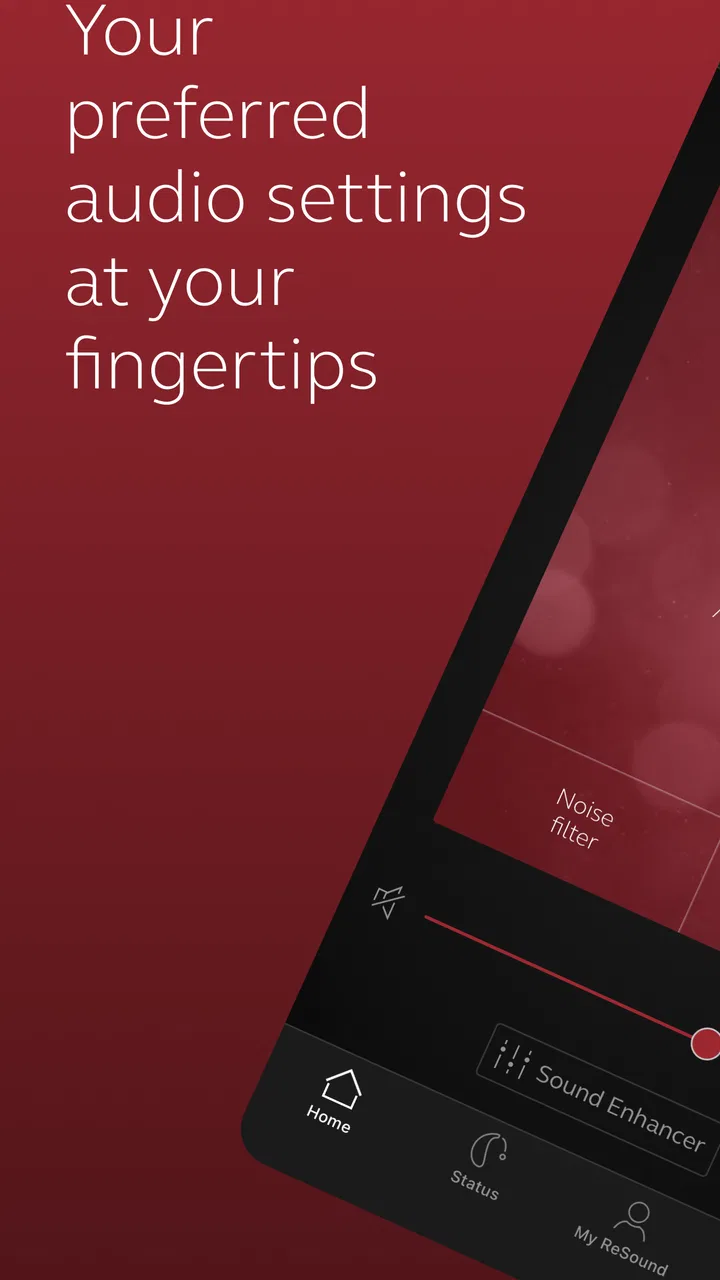
The first thing I noticed is that the app’s value comes from reducing small adjustments to a few taps. Instead of reaching for a separate control or asking someone nearby to help, I can use the phone I already understand. That makes the experience less intimidating for someone who is new to hearing aids, especially when the alternative is trying to remember what every physical control does.
The interface is most useful when I approach it with a specific goal: make listening more comfortable, change the listening setting, or check the state of the connected devices. That task-focused mindset keeps the app from feeling like another complicated medical dashboard. I would not describe it as a replacement for professional fitting, but it can make the day-to-day side of a fitting feel more manageable.
Readability has an important practical dimension here. A person may be using the app in a dim restaurant, outdoors in bright light, or while already dealing with listening fatigue. Clear labels and a predictable route through the controls matter more than decorative design. I found the companion-app approach easier to understand than a collection of unexplained buttons on the hearing aids themselves, because the phone can present more context around an adjustment.
There is also a useful psychological benefit. If I can make a small change privately, I am less likely to postpone it until discomfort becomes distracting. That is especially relevant for people who feel self-conscious about asking another person to repeat themselves or about announcing that they need to adjust their hearing aids.
What new users should do before relying on it
I would set up the app at home, not for the first time in a busy café. Pairing and connection steps are easier to understand when I am not under pressure, and a quiet room gives me time to learn where the important controls are. I would also keep the hearing aids charged and the phone reasonably close during initial use, because a companion app cannot be helpful if the devices are unavailable to it.
A useful habit is to make one change at a time and listen for a moment before making another. If I adjust several things quickly, I may not know which change helped or made the situation worse. This is a small but important workflow improvement: the app can provide control, but careful listening is still the best way to judge whether a setting suits me.
I would also show a family member or caregiver the basic route through the app only if I am comfortable doing so. The phone-based layout can be easier for another person to understand than the hearing aids’ controls, but control over hearing settings should remain with the wearer whenever possible. Support is helpful; taking over is not.
Different abilities, senses, and everyday situations
I think accessibility here is about more than seeing a control or reaching it; it is also about choosing a moment when using a phone feels manageable. I’ll consider how dexterity, vision, sound sensitivity, and the pace of everyday situations can affect that choice. Those differences lead naturally to the question of who is likely to benefit most from phone-based hearing-aid control.
Motor considerations and discreet adjustments
For someone with limited finger strength, tremor, arthritis, or difficulty manipulating small objects, changing settings on a phone may be easier than handling tiny hearing-aid controls. The benefit is not that the app removes every physical challenge; it shifts the task to a larger, familiar touchscreen. I can hold the phone in the way that feels most stable and make an adjustment without trying to find a small button behind my ear.
That same arrangement can help a person with reduced reach or limited dexterity. A hearing aid may be physically difficult to touch accurately, while a phone can be placed on a table or held with both hands. In my view, this is one of the strongest inclusion advantages of the app: it offers an alternative route to control rather than assuming every user can operate the hardware easily.
There are trade-offs. Touchscreens are not automatically accessible to everyone. A person who has difficulty with precise taps, accidental touches, or remembering where controls are located may still need assistance. Phone settings such as larger text or touch accommodations may help in some cases, but I would not assume that every adjustment translates perfectly to this app. The best approach is to test the interface during a calm appointment or at home before depending on it outside.
Visual and sensory comfort
People with low vision may appreciate having hearing-aid controls represented on a phone instead of relying on tiny markings. A larger screen can make the general task easier to see, particularly when compared with manipulating a small device by touch alone. However, the phone’s display, brightness, contrast, and text size remain part of the experience, so the app does not solve every visual barrier by itself.
For users who are sensitive to sound, the ability to make a controlled adjustment can reduce the temptation to remove the hearing aids entirely when an environment becomes overwhelming. I like the idea of using a small change as an experiment: adjust, pause, and decide whether the sound is more comfortable. That is more practical than treating every noisy place as a simple yes-or-no test of whether the hearing aids work.
Still, I would not use the app as a substitute for clinical advice when sound is consistently painful, distorted, or unusually uncomfortable. A phone control can change the immediate experience, but it cannot explain why a problem is happening. Repeated discomfort deserves attention from the hearing-care professional who fitted the devices.
Situational access in real life
My most convincing use case is a changeable day. Imagine leaving home in a quiet morning, entering a bus, spending time in an office, and later meeting friends in a restaurant. These places do not demand the same listening approach. Having the app available means I can respond to the environment instead of accepting one setting for the entire day.
In a restaurant, I would make the adjustment before the conversation becomes exhausting, rather than waiting until I have missed several sentences. On public transport, I would be more cautious and make changes only when safely stopped or seated, since looking down at a phone while walking or crossing a road creates a separate risk. The app is useful in a situation only when using it does not distract me from that situation.
At home, the app can be valuable for television or quiet conversation. I can make a change without interrupting the person speaking to me. That is a modest convenience, but repeated small conveniences are exactly where a hearing-aid companion earns its place. The app is less about a dramatic transformation and more about giving me another way to keep listening comfortably as circumstances change.
For caregivers, the phone interface may offer a clearer way to help someone who cannot easily handle the hearing aids. I would treat this as a shared workflow: the wearer explains what sounds wrong, the helper makes one suggested adjustment, and the wearer confirms the result. That keeps the person using the hearing aids involved instead of turning the process into remote guesswork.
Where the usual alternatives may be better
The obvious alternative is using the hearing aids without an app. That can be better for someone who wants the simplest possible routine, dislikes smartphones, or does not want another connection to maintain. If the wearer is already comfortable with the physical controls and rarely changes settings, the app may feel unnecessary.
A remote control or support from a hearing-care professional can also be preferable in certain cases. A separate control may be easier for a person who struggles with touchscreen gestures, while professional support is the right choice for fitting questions, persistent discomfort, or changes in hearing. I see the app as a daily convenience layer, not as a replacement for either option.
Compared with generic sound-amplification or equalizer apps, ReSound Smart 3D is more relevant to people who use compatible ReSound hearing aids. A general audio app may alter music or phone audio, but it is not the same as managing hearing-aid behavior in the context for which the devices were designed. Conversely, someone without compatible ReSound hardware has little reason to choose this particular app.
Remaining barriers I would take seriously
The biggest barrier is compatibility. The app is specifically for ReSound hearing aids, so I would check the exact hearing-aid model and phone combination before building my routine around it. A free download does not mean universal access. For an existing ReSound user, this may be a sensible first step; for someone choosing hearing aids from scratch, app support should be one consideration among many, not the only deciding factor.
Connection dependence is another practical limitation. If the phone is unavailable, out of reach, uncharged, or not communicating with the hearing aids, the app cannot provide its convenience at that moment. I would therefore learn the basic physical controls as a backup. Relying on the app should not leave me helpless when I am away from the phone.
There is also a cognitive barrier. More control can mean more decisions. A user who is already tired from listening may not want to compare settings or troubleshoot a connection. I recommend choosing a small personal routine: learn the one or two adjustments that matter most, use them consistently, and leave deeper experimentation for home.
Privacy and comfort with smartphones may influence the decision as well. Some people simply do not want their hearing routine tied to a mobile device. That preference is legitimate. The app should be judged by whether it reduces effort, not by whether it offers more controls than someone actually wants to use.
Who I would recommend it to
I would recommend ReSound Smart 3D to a ReSound hearing-aid wearer who regularly moves between quiet and noisy environments, wants discreet control, or finds the hardware difficult to manipulate. It is particularly appealing when a phone is already part of the person’s daily routine and when small listening adjustments make the difference between participating and withdrawing.
I would be more cautious recommending it to someone who rarely carries a smartphone, has difficulty with touch interfaces, or expects an app to diagnose hearing problems. It is also not the right answer for a person whose main need is a new hearing assessment, a physical repair, or professional fine-tuning. In those situations, an appointment or a different control method is more appropriate.
My inclusive verdict after using it
What I like most is the choice it gives the wearer. ReSound Smart 3D does not make hearing aids universally effortless, but it can move everyday control away from tiny hardware and onto a device with a larger screen and familiar interaction. That can support people with different motor abilities, varying visual comfort, and changing listening demands, provided the phone itself is accessible to them.
The app works best when I treat it as a practical companion rather than a complete solution. I would set it up in a quiet place, learn a simple adjustment routine, keep a backup method for controlling the hearing aids, and involve a professional when the problem is more than a momentary preference. Those habits prevent the app from becoming another source of frustration.
GN Resound has made this a free medical companion for compatible devices, with an Everyone age rating and support beginning at Android 8.0. Its long availability and broad adoption make it a reasonable app to investigate, but the real question is personal: does phone-based control make listening easier for you? For many ReSound users, especially those who value discreet adjustments or need an alternative to small physical controls, my answer is yes. For people who want no smartphone involvement at all, the traditional controls may remain the better fit.
My bottom line: this is a useful accessibility-minded companion when it matches the wearer’s hearing aids and the wearer’s way of using a phone. It does not erase every barrier, and it should never replace hearing-care advice, but it can give the right person more independence in the moments when sound changes quickly.
FAQs for ReSound Smart 3D
01What devices are compatible with the ReSound Smart 3D app?
The ReSound Smart 3D app is compatible with both iOS and Android devices. For iOS, it works with iPhone, iPad, and iPod Touch running iOS 13 or later. For Android, the app supports devices running Android 8.0 (Oreo) or higher. Always check the specific compatibility with your hearing aid model to ensure optimal performance.
02Can I adjust my hearing aids using the ReSound Smart 3D app?
Yes, the ReSound Smart 3D app allows you to adjust your hearing aids. You can change volume levels, switch between different listening programs, and even adjust sound settings to suit various environments. The app also offers features like sound personalization and tinnitus management, providing a comprehensive hearing experience.
03Is the ReSound Smart 3D app free to use?
The ReSound Smart 3D app is free to download and use. It provides a range of features to enhance your hearing aid experience without any additional charges. However, it's important to note that the app is designed to work with ReSound hearing aids, so you'll need a compatible device to utilize its functionalities.
04How does the app assist with hearing aid maintenance?
The ReSound Smart 3D app assists with hearing aid maintenance by providing a 'Find My Hearing Aids' feature that helps locate misplaced devices. Additionally, it sends notifications for low battery and allows you to check the status of your hearing aids. The app also offers user guides and support for troubleshooting common issues.
05Is there customer support available for the ReSound Smart 3D app?
Yes, customer support is available for the ReSound Smart 3D app. Users can access support directly through the app via the Help section, which offers FAQs and troubleshooting tips. For further assistance, you can contact ReSound’s customer service through their website or by visiting an authorized dealer.
Pros
- Intuitive and easy-to-navigate interface.
- Real-time adjustments for personalized sound.
- Seamless integration with hearing aids.
- Customizable sound profiles for different settings.
- Remote fine-tuning by audiologists.
Cons
- Limited compatibility with older devices.
- Requires constant Bluetooth connection.
- Battery drain can be significant.
- Initial setup can be complex for beginners.
- Some features locked behind updates.

ReSound Smart 3D
Gallery